Arch Linux Through ROCKNIX
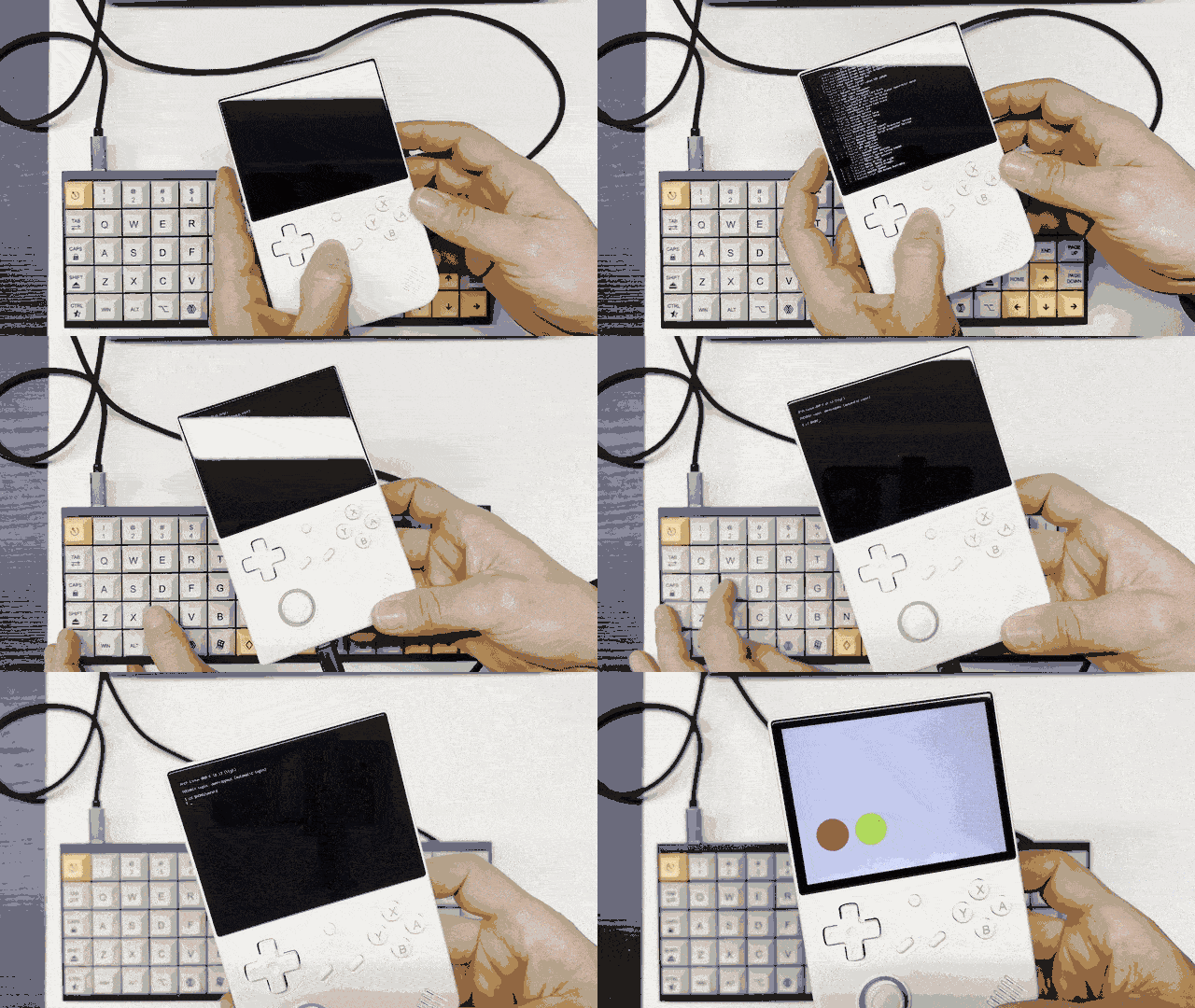
some time ago i found this strangely interesting project arch-through-rocknix which essentially turns ROCKNIX into a dual-boot ROCKNIX+Arch Linux system. i tried it out on an Anbernic RG40XXV and with a bit of tweaking i managed to get a Umfeld to run in it.
BTW i did not compile an application on the device nor did i create a sysroot for cross compilation. i merely used applications ( i.e binaries ) that i had previously compiled for ROCKNIX with a cross compiler setup … and they do work. this is a bit brittle but since this is more of a proof of concept anyway … i think it s good.
:( update when revisiting the repository on GitHub, i found that the user still exists but the actual repository is gone dark … just recently. schade :(
:) update-update the repository was moved to codeberg.org … i feel you :)
here is what i did to get it working ( on an Anbernic RG40XXV device but should work on others as well ):
preparation
set IP for live device with SSH access:
export HANDHELD_IP=192.168.1.23
copy Arch Linux image ( link from document above ) to device:
scp arch.sfs root@$HANDHELD_IP:/storage/
create mount-storage.sh on device:
ssh root@$HANDHELD_IP
sudo mount -o remount,rw /flash   # make flash writable
nano /flash/mount-storage.sh      # paste `mount-storage.sh`
chmod +x /flash/mount-storage.sh
# WARNING! This uses features not officially supported by ROCKNIX and may need to be modified for your use
# USE AT YOUR OWN RISK!
#
# ROCKNIX mount storage script (rename as mount-storage.sh on boot partition)
# This hooks into and borrows from the ROCKNIX init script heaviliy:
#   https://github.com/ROCKNIX/distribution/blob/next/projects/ROCKNIX/packages/sysutils/busybox/scripts/init
#
# Debootstrap instructions inspired heavily by macromorgan's Debootstrap Development Image gist:
#   https://gist.github.com/macromorgan/c776e3027b1ce0ebaedebf7d1863cd38

# Debootstrap Kali script by troopermax that made this thing be real:
#   https://gist.github.com/troopermax/6b8d2b7c33283ce4c3b018e118518839


# Example key codes
BTN_SELECT=314

# Needed for some rk3566 devices like 353M/P/RG Arc
# Note buttons seem to get "stuck" with evtest (each button always returns pressed once detected as pressed)
# But this is sufficient for this use case
insmod /sysroot/usr/lib/kernel-overlays/base/lib/modules/*/rocknix-joypad/rocknix-singleadc-joypad.ko

  mount_part "$disk" "/storage" "rw,noatime"
# SELECT for Arch Linux
if is_key_pressed $BTN_SELECT; then
  mkdir /storage/overlay /storage/overlay/lower /storage/overlay/upper /storage/overlay/work
  mount /storage/arch.sfs /storage/overlay/lower
  insmod /sysroot/usr/lib/kernel-overlays/base/lib/modules/*/kernel/fs/overlayfs/overlay.ko
  for f in flash sysroot;do mkdir /storage/$f; mount --move /$f /storage/$f;done
  mount -t overlay -o lowerdir=/storage/overlay/lower,upperdir=/storage/overlay/upper,workdir=/storage/overlay/work overlay /sysroot
  mount --bind /storage/flash/ /sysroot/flash
  mount --bind /storage/sysroot/usr/lib/kernel-overlays/base/lib/modules /sysroot/lib/modules
  mount --bind /storage/sysroot/usr/lib/kernel-overlays/base/lib/firmware /sysroot/lib/firmware
  for f in run dev proc sys;do /usr/bin/busybox mount --move /$f /sysroot/$f;done
  exec /usr/bin/busybox switch_root /sysroot /usr/lib/systemd/systemd --show-status=1 --unit=default.target
fi

#             .
#             |
#          .-"^"-.
#         /_....._\
#     .-"`   >w<   `"-.
#    (  ooo  ooo  ooo  )
#     '-.,_________,.-'
#         /       \
#       _/         \_
#      `"`         `"`     ~made with love~
#------------------------------------------------
#                       Thanks from Mash0Star!
reboot and hold down Select to boot into arch:
user ……. : root
password … : root
export YOUR_USER_NAME=dennisppaul
useradd -m $YOUR_USER_NAME
passwd $YOUR_USER_NAME # e.g password `arch`
usermod -aG wheel $YOUR_USER_NAME
#systemctl enable sddm.service # starts GUI
( optional ) enable SSH:
sudo pacman -S openssh
sudo systemctl enable --now sshd
sudo systemctl status sshd # check
( optional ) connect to WiFi:
export PASSWORD="******"
export SSID="MY_WIFI_SSID"
sudo nmcli device wifi list
sudo nmcli connection add type wifi con-name "$SSID-CLI" ifname wlan0 ssid "$SSID"
sudo nmcli connection modify "$SSID-CLI" wifi-sec.key-mgmt wpa-psk
sudo nmcli connection modify "$SSID-CLI" wifi-sec.psk "$PASSWORD"
sudo nmcli connection up "$SSID-CLI"
(optional) auto login:
sudo mkdir -p /etc/systemd/system/getty@tty1.service.d/
sudo nano /etc/systemd/system/getty@tty1.service.d/autologin.conf
add this, replacing yourusername with actual user:
[Service]
ExecStart=-/sbin/agetty --autologin yourusername --noclear %I $TERM
enable to auto connect on next reboot:
sudo systemctl enable getty@tty1.service
sudo systemctl daemon-reload
(optional) copy ffmpeg version 6.1 libs from ROCKNIX
Arch Linux has only a version 8 available. so this is only required when running binaries compiled for ROCKNIX which uses version 6.1:
sudo mkdir -p /mnt/rocknix
sudo mount -o ro /flash/SYSTEM /mnt/rocknix
mkdir -p ~/lib/rocknix
cp /mnt/rocknix/usr/lib/libswscale.so.7 ~/lib/rocknix/
cp /mnt/rocknix/usr/lib/libavdevice.so.60 ~/lib/rocknix/
cp /mnt/rocknix/usr/lib/libavformat.so.60 ~/lib/rocknix/
cp /mnt/rocknix/usr/lib/libavcodec.so.60 ~/lib/rocknix/
cp /mnt/rocknix/usr/lib/libswresample.so.4 ~/lib/rocknix/
cp /mnt/rocknix/usr/lib/libavutil.so.58 ~/lib/rocknix/
then later run exectuables with LD_LIBRARY_PATH=~/lib/rocknix ./my_app or copy libs to /usr/lib/ with sudo then no extra LD_LIBRARY_PATH is needed.
installing umfeld
umfeld can be installed with the installer script:
/bin/bash -c "$(curl -fsSL https://codeberg.org/Umfeld/umfeld/raw/branch/main/install.sh)"
⚠️⚠️⚠️ note that the test at the end will likely fail. this is nothing to worry about … it can actually be interrupted and aborted. ⚠️⚠️⚠️